
What Makes a Medical Photography App HIPAA Compliant? 10 Features to Look For
1.Introduction
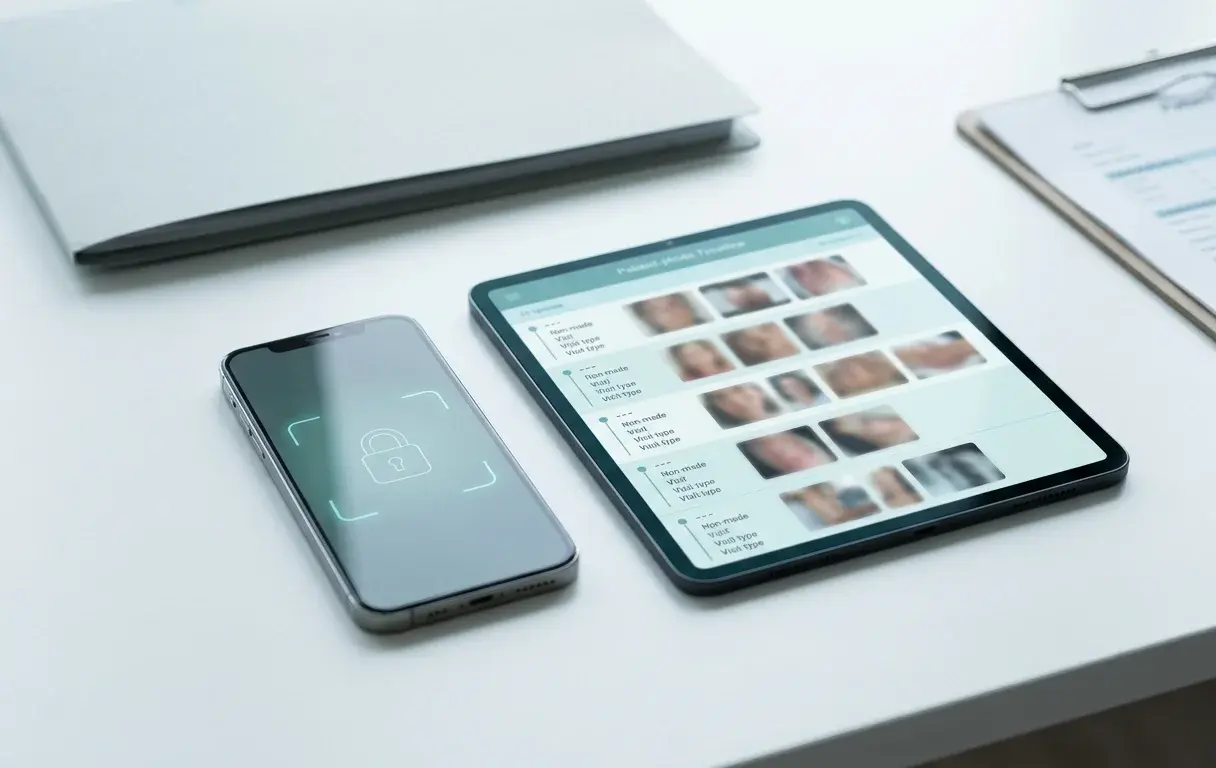
You are in a consultation and need to show a patient's progress. Instead of opening a clean patient timeline, you unlock your phone and start scrolling through a mixed camera roll, hoping to find the right image quickly and not flash anything personal on screen.
That is the real problem most clinics are trying to solve. Not "buy compliance software." Just: keep patient photos separate, find them fast, compare visits clearly, and share them safely when a colleague needs to weigh in.
That is also exactly where compliance problems begin.
In the United States, patient images that identify an individual are generally treated as protected health information (PHI) under HIPAA when they are created, received, maintained, or transmitted by covered entities or business associates. In Europe, the GDPR treats health data as a special category of personal data, which brings stricter rules around lawful basis, security, access, and deletion.
So if you are comparing apps, the right question is not simply, "Does this app say it is HIPAA compliant?" The better question is: which product features help your clinic document patient progress without creating privacy, security, and workflow headaches?
This guide answers that question.
2.The Short Answer
A medical photography app is not "compliant" because it uses healthcare language on its homepage. It is compliant because it helps your clinic do three things well in everyday practice:
- keep patient photos out of personal galleries
- make the right people the only people who can access them
- make capture, comparison, and secure sharing easy enough that staff will actually use the workflow
From there, the rest follows: encryption, audit logs, vendor contracts, deletion controls, and support for patient rights.
HIPAA and GDPR are not identical, but they overlap on a practical level. Both push clinics away from casual photo handling and toward systems that are secure, accountable, and purpose-built for clinical use.
This article is educational, not legal advice. Final compliance depends on how your practice configures and uses the tool, your policies, your contracts, and the laws that apply in your jurisdiction.
3.What Is a HIPAA-Compliant Medical Photography App?
A HIPAA-compliant medical photography app is a secure patient photo app that helps healthcare professionals capture, store, compare, and share clinical images without exposing them through personal galleries, unsecured messaging apps, or generic cloud storage. In practical terms, that means secure capture, encryption, access controls, audit trails, and vendor support for healthcare contracts like a BAA.
For clinics in Europe, that same app should also support GDPR-ready workflows, including a DPA, clear data-hosting information, controlled access, deletion and export support, and privacy-by-design defaults.
4.HIPAA and GDPR: Similar Goal, Different Emphasis
HIPAA focuses on safeguarding PHI through administrative, technical, and physical safeguards. HHS guidance makes clear that mobile devices can be used for electronic PHI, but only when appropriate safeguards are in place. HHS also makes clear that if a cloud provider maintains ePHI on behalf of a covered entity, a Business Associate Agreement (BAA) is required.
GDPR starts from a broader privacy position. The European Commission and EDPB guidance make clear that health data is sensitive data, and organisations need a valid legal basis, strong security, limited access, and operational support for rights such as access, erasure, and portability. The GDPR also emphasizes data protection by design and by default, meaning privacy should be built into the system from the start rather than added later.
That is why a strong buyer evaluation should include both lenses:
| Question | HIPAA Focus | GDPR Focus |
|---|---|---|
| Is the data secured? | Safeguards for ePHI | Security of processing |
| Is the vendor contractually accountable? | BAA | DPA and processor terms |
| Is access limited to the right people? | Minimum necessary, access controls | Integrity, confidentiality, limited accessibility |
| Can the clinic delete or export data when required? | Record handling and internal policy | Data subject rights, storage limitation, portability |
| Does the product prevent casual misuse? | Device and cloud safeguards | Privacy by design and by default |
5.10 Features to Look For
1. Photos Never Enter the Personal Camera Roll
This is the first feature to check because it removes one of the most common risks at the source.
If staff take patient photos with the default phone camera and upload them later, the image usually lands in the personal gallery first. That creates avoidable problems: auto-backup to personal cloud accounts, accidental sharing, family access, and a messy audit trail.
A better medical photography app captures images inside the secure clinical workflow, so they never mix with personal photos in the first place. This matters for HIPAA because it reduces the exposure of PHI on unmanaged personal devices. It matters for GDPR because it supports data minimisation and privacy by default.
If an app still depends on "take it with your normal camera, then upload it later," treat that as a red flag.
2. Encryption in Transit and at Rest
Encryption is not the whole compliance story, but it is a baseline requirement.
At minimum, the app should protect patient images:
- in transit, while they move between device and server
- at rest, while stored in the vendor's infrastructure
Vendors should be able to explain this clearly in plain language. If the answer is vague, evasive, or buried behind sales calls, that is a warning sign. Encryption does not make a weak workflow compliant on its own, but a medical photography app without clear encryption practices is difficult to trust.
3. Strong Access Controls on Every Device
The app should not assume that anyone holding the phone should be able to see every patient image.
Look for:
- role-based access controls
- biometric or strong app-level authentication
- session timeout after inactivity
- separation between clinician, admin, and team permissions
- the ability to revoke access when a staff member leaves
This is where many consumer tools break down. They may store files securely in theory, but once a device is unlocked, access is too broad and too informal.
Under HIPAA, this supports access control and safeguard requirements. Under GDPR, it supports confidentiality and restricted accessibility.
4. Full Audit Trails
If a patient image is viewed, uploaded, shared, exported, or deleted, the clinic should be able to see that.
Audit logs matter because compliance is not only about preventing unauthorized access. It is also about being able to answer basic operational questions:
- Who accessed this patient's photos?
- When were the images uploaded?
- Was this case shared with another clinician?
- Was the image exported or deleted?
Without audit trails, it becomes much harder to investigate incidents, demonstrate accountability, or respond to internal and external reviews.
5. Proper Vendor Paperwork: BAA for HIPAA, DPA for GDPR
This feature is partly contractual, but it should still be part of product evaluation because the best apps make it easy to confirm.
For U.S. clinics handling PHI, ask whether the vendor will sign a Business Associate Agreement. HHS guidance is clear that when a cloud service provider maintains ePHI on behalf of a covered entity or business associate, a BAA is required.
For European clinics, ask for:
- a Data Processing Agreement (DPA)
- clarity on where data is hosted
- a list of subprocessors
- clarity on international transfers, if any
If a vendor is serious about healthcare, these answers should be ready before procurement, not improvised after the fact.
That is especially important if you are comparing a true clinical photo documentation app with a general-purpose storage tool that has been adapted for healthcare after the fact.
6. Consent and Legal-Basis Support
The app should help clinics document why the image was captured and what it can be used for.
This is especially important in Europe. The European Commission notes that health data can only be processed when a valid condition applies, and explicit consent may be required depending on the context and local legal basis. Consent, when used, must be specific, informed, and explicit.
That does not mean every app needs a full legal workflow engine. It does mean the product should support practical compliance behaviors such as:
- linking media to a patient record and visit
- recording purpose or context for capture
- storing notes or consent-related documentation
- separating treatment documentation from marketing or teaching use
If your team is forced to track consent and usage rules in scattered paper forms, text messages, or unrelated systems, mistakes become much more likely.
7. Secure Sharing With Controlled Access
Clinics often need to share cases for second opinions, referrals, or team collaboration. The question is whether the app supports this in a controlled, auditable way.
Look for sharing that is:
- limited to the relevant patient or case
- permission-based
- time-bound or revocable
- logged in the audit trail
Compare that with consumer workflows like email attachments, WhatsApp messages, or open cloud links. Those may feel faster in the moment, but they create exactly the kind of uncontrolled distribution that both HIPAA and GDPR try to prevent.
If secure collaboration matters to your practice, read our guide on sharing medical photos between professionals.
8. Retention, Deletion, Export, and Access Request Support
This feature becomes critical the moment a clinic needs to act on a patient request or an internal policy.
Under GDPR, patients may have rights relating to access, erasure, restriction, and portability depending on the circumstances. EDPB guidance stresses that organisations need systems and procedures that help them respond to those requests. Even where a full erasure request cannot override medical-record retention obligations, the workflow still has to be manageable.
Under HIPAA, practices also need reliable control over how records are maintained, disclosed, and handled operationally.
A good app should make it realistic to:
- export a patient's images and associated records
- find all media linked to that patient
- apply retention policies consistently
- delete data when legally appropriate
- avoid orphaned files across devices and personal cloud accounts
If deletion or export requires engineering support every time, the workflow is fragile.
9. Privacy by Design and by Default
This is a GDPR phrase, but it is a smart buying principle everywhere.
The European Commission explains that data protection by design and by default means building privacy into the processing from the start and using the most privacy-protective defaults possible. It specifically points to measures like pseudonymisation and encryption, but the practical idea is broader: collect only what you need, restrict access by default, and do not expose data unnecessarily.
In a medical photography app, this usually means:
- no public-by-default links
- limited default accessibility
- purpose-built patient organisation rather than ad hoc folders
- minimal unnecessary data collection
- privacy-protective default settings
If a tool behaves like consumer file sharing with a healthcare skin on top, it is probably not built with privacy by default in mind.
10. A Workflow People Will Actually Use Consistently
This last feature is easy to underrate, but it matters more than most teams expect.
The most "secure" system in theory still fails if clinicians avoid it because it is too slow, too clumsy, or too disconnected from the consultation workflow. In practice, unusable systems push teams back toward personal phone galleries, texting, and manual uploads.
A strong medical photography app should make the compliant workflow the easiest workflow:
- open the patient
- capture the image
- see it in the right timeline
- compare visits
- share securely when needed
That is not only a usability feature. It is a compliance feature, because adoption determines whether policy survives contact with real clinical practice. If the app is fast enough to use during a live consult, staff are far less likely to fall back to screenshots, texts, or manual uploads later.
For a broader capture-quality perspective, see our guide to medical photography best practices.
6.Quick Evaluation Checklist for Buyers
Use this list when comparing vendors:
| Question to Ask | Why It Matters |
|---|---|
| Do photos ever enter the device's personal gallery? | If yes, exposure risk rises immediately |
| Will you sign a BAA for HIPAA-covered use cases? | Required when the vendor is acting as a business associate |
| Do you provide a DPA and subprocessor list? | Core GDPR procurement question |
| Where is data hosted? | Important for GDPR, residency expectations, and vendor review |
| Are photos encrypted in transit and at rest? | Baseline security expectation |
| Do you provide audit logs for access and sharing events? | Needed for accountability and investigations |
| Can we control sharing by user, case, and expiry? | Prevents uncontrolled disclosure |
| Can we export, delete, or locate all photos for one patient? | Critical for retention and rights workflows |
| Do you support app-level authentication and timeouts? | Reduces device-level risk |
| Does the product fit everyday clinical use? | A low-adoption tool creates shadow workflows |
If you are actively comparing options, this checklist is a good reality check: a secure patient photo app should make capture, organization, comparison, and sharing feel simpler than your current workflow, not heavier.
7.Red Flags to Watch For
If you see any of the following, pause before buying:
- the app relies on the default phone camera and manual upload
- the vendor cannot clearly explain BAA or DPA availability
- data hosting and subprocessors are unclear
- sharing works through open links with weak controls
- there is no audit trail
- patient data is hard to export or delete
- the workflow feels so awkward that staff will bypass it
These are not minor product quirks. They are usually signs that the app was not designed around clinical privacy requirements.
8.HIPAA-Ready Does Not Automatically Mean GDPR-Ready
This is one of the most important distinctions for European buyers.
An app may market itself as HIPAA compliant and still leave major GDPR questions unanswered. For example:
- Does it explain the lawful basis for processing health data in your context?
- Does it support deletion, access, and export workflows?
- Does it minimize unnecessary data collection?
- Does it provide a DPA and clear processor terms?
- Does it keep data inside the EU, or clearly explain international transfer mechanisms?
So if your clinic serves patients in Europe, or if your organisation is established in the EU or EEA, do not stop at HIPAA language alone. Ask whether the product is operationally ready for GDPR expectations too.
9.Frequently Asked Questions
Are patient photos considered PHI under HIPAA?
In many clinical contexts, yes. If a patient image identifies the individual and is created, received, maintained, or transmitted by a covered entity or business associate, it is generally treated as protected health information under HIPAA.
Does HIPAA compliance automatically make an app GDPR compliant?
No. HIPAA and GDPR overlap on security and accountability, but GDPR adds broader requirements around lawful basis, special category data, privacy by design, and data subject rights such as access, erasure, and portability.
Is encryption enough to make a medical photography app compliant?
No. Encryption is essential, but it is only one part of the picture. You also need access controls, audit trails, vendor contracts, secure sharing, retention workflows, and policies that match how the clinic actually uses the tool.
Can a clinic use a personal phone for patient photos if the app is secure?
Potentially, but only if the workflow and device safeguards are appropriate. HHS guidance allows mobile access to ePHI when proper safeguards are in place. In practice, the safer pattern is to use an app that keeps patient media out of the personal camera roll and applies strong app-level controls.
What should European clinics ask that U.S. buyers sometimes miss?
Ask about the DPA, subprocessor list, data hosting region, international transfers, deletion and export workflows, and how the product supports privacy by design and by default.
What is the single most important feature to look for first?
The safest first filter is whether the app keeps patient photos out of the personal gallery from the moment of capture. If it does not solve that, many downstream compliance risks remain.
10.Final Takeaway
The best medical photography app is not the one with the longest feature list. It is the one that makes the safe workflow the normal workflow.
For most clinics, that means choosing a product that separates patient images from personal photos, secures access, logs activity, supports proper contracts and deletion workflows, and makes compliant collaboration easier than shortcuts.
That is the standard PixioDoc is built around: capture patient media in a dedicated workspace, keep it separate from personal galleries, organize it by patient and visit, compare progress side-by-side during consultations, and share cases securely when collaboration is needed.
If your current setup still depends on the phone camera, folders, or cloud drives, the easiest next step is to test a purpose-built workflow. PixioDoc lets you start free with up to 10 patients, so you can see whether dedicated capture, patient timelines, and side-by-side comparison fit your practice before changing anything long term. Download PixioDoc to see how it works in practice.
If you are also evaluating whether your current workflow is too dependent on general-purpose storage, read Is Google Drive HIPAA Compliant for Patient Photos? and Why You Shouldn't Use Your Personal Phone for Patient Photos.
Enjoyed this article?
Check out our other posts for more insights on medical documentation and technology.
Browse All Posts