
Before-and-After Photo App for Plastic Surgeons
Plastic surgeons use PixioDoc to capture pre-op and post-surgical photos, organize them by patient timeline, and compare results side by side — in a secure, security-first, EU-hosted, GDPR-aligned clinical workspace.
Stored in the EUSeparate from your personal gallery
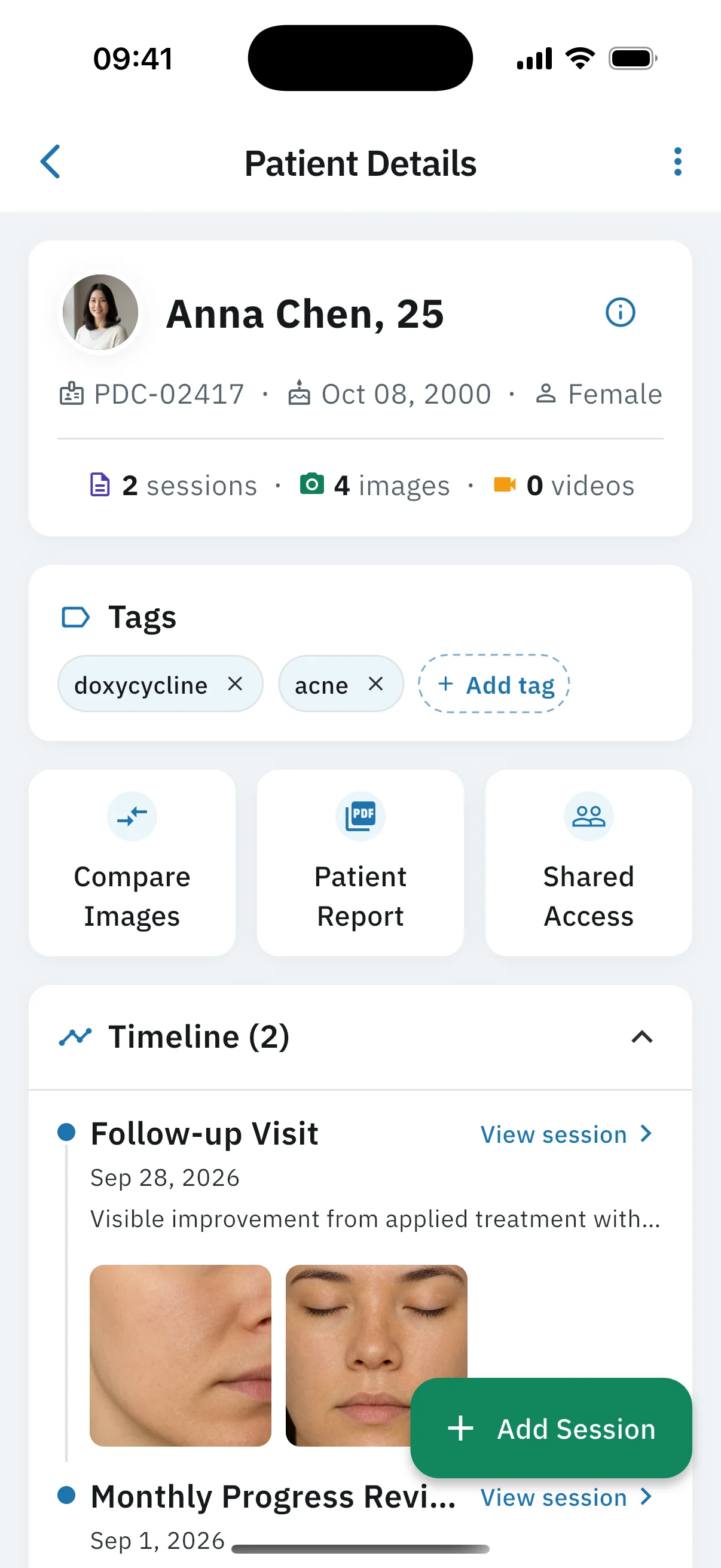
A before-and-after photo app for plastic surgeons is a clinical mobile tool that helps reconstructive and cosmetic surgeons capture pre-operative and post-surgical patient photos for procedures like rhinoplasty, breast augmentation, abdominoplasty, blepharoplasty, facelift, and post-mastectomy reconstruction, organize them in chronological timelines, and compare results side by side during consultations. PixioDoc is one such app: patient photos are kept apart from your personal gallery and stored in the EU.
Plastic surgery is built around proof. Patients judge results visually, courts judge consent visually, and surgeons judge their own technique visually. The standard of documentation a modern practice needs — pre-op, intra-op when relevant, and serial post-op photos at every follow-up — does not fit in a personal camera roll. PixioDoc gives plastic and reconstructive surgeons a single timeline per patient, side-by-side comparison for consultations, and role-based sharing you control (Pro), with patient data stored in the EU.
Common photo documentation challenges in plastic surgery
The biggest photo documentation challenges in plastic surgery are medico-legal exposure from personal-device storage, inconsistent angles that undermine before-and-after comparisons, reassuring patients through the swelling phase of recovery, and sharing multidisciplinary cases without losing the audit trail that regulators and insurers expect.
Clinical photos in personal galleries are a liability
Pre-op and post-op images stored on a personal device blur consent, encryption, and access boundaries. Insurers and regulators on both sides of the Atlantic expect a documented chain of custody — a phone gallery cannot provide one.
Inconsistent angles undermine before-and-after comparisons
If pre-op rhinoplasty photos are taken at chest height and post-op photos at eye level, the comparison loses meaning. Surgeons need a workflow that encourages repeatable framing for frontal, oblique, and lateral views across visits.
Patient reassurance during recovery requires visual evidence
The 4–6 week swelling phase after most aesthetic procedures is when patients lose confidence. Walking them through the timeline of their own healing — week by week — is the single most effective reassurance tool.
Multidisciplinary cases need auditable sharing
Reconstructive cases often involve a multidisciplinary team. Every share of a patient case should be tracked, time-stamped, and revocable — not buried in a group chat or an unencrypted email.
How plastic surgery professionals use PixioDoc
Plastic surgeons use PixioDoc to document pre-op consultations and post-surgical results, compare pre-op and post-op images during follow-ups, record the full arc of surgical recovery, and share before-and-after results with the surgical team — one chronological timeline per patient, from consultation to final outcome.
Document pre-op consultations and post-surgical results
Capture standardised pre-op photos during the consultation and follow each patient through their full post-op timeline in a single record — with no gallery cleanup at the end of the day.
Compare pre-op and post-op images during follow-ups
Open any two visits side by side during a follow-up — useful for rhinoplasty, breast augmentation, abdominoplasty, blepharoplasty, otoplasty, and reconstructive cases where serial comparison drives the conversation.
Document surgical recovery progress
Capture timestamped photos at each post-op check-in. The patient timeline becomes a complete visual record of swelling, scar maturation, and final outcome.
Share before-and-after results with the surgical team
Coordinate with co-surgeons, residents, anaesthetists, and physiotherapists by sharing specific patient records at the right access level — without exposing the rest of your caseload.

Why plastic surgery clinicians choose PixioDoc
PixioDoc keeps surgical photos separate from personal media, turns each patient's record into a complete transformation story, makes subtle results obvious with the progress slider (Free) and side-by-side layouts (Pro), and lets co-surgeons, residents, and referrers review cases through role-based sharing you control.
Surgical photos stay separate from your personal gallery
Capture happens through PixioDoc's in-app camera and does not write to the camera roll. Clinical photos live in a dedicated workspace separate from your personal gallery.
Tell the full transformation story
Use the patient timeline during follow-ups to show every stage from first consultation to final outcome — exactly the visual narrative that drives referrals.
Compare any two visits with the progress slider
The interactive progress slider (Free) makes subtle differences obvious: nasal contour, breast symmetry, scar maturation. Pro adds side-by-side and advanced multi-image layouts so the patient sees what the surgeon sees.
Collaborate securely with the surgical team
Role-based sharing you can change at any time lets co-surgeons, residents, and referrers review the case under GDPR and equivalent privacy regimes without compromising patient privacy.

See plastic surgery progress the way patients do
Try the slider, side-by-side, Hero, and 2×2 layouts — the same comparison tools patients see in consultation when subtle contour and symmetry changes need to feel unmistakable.
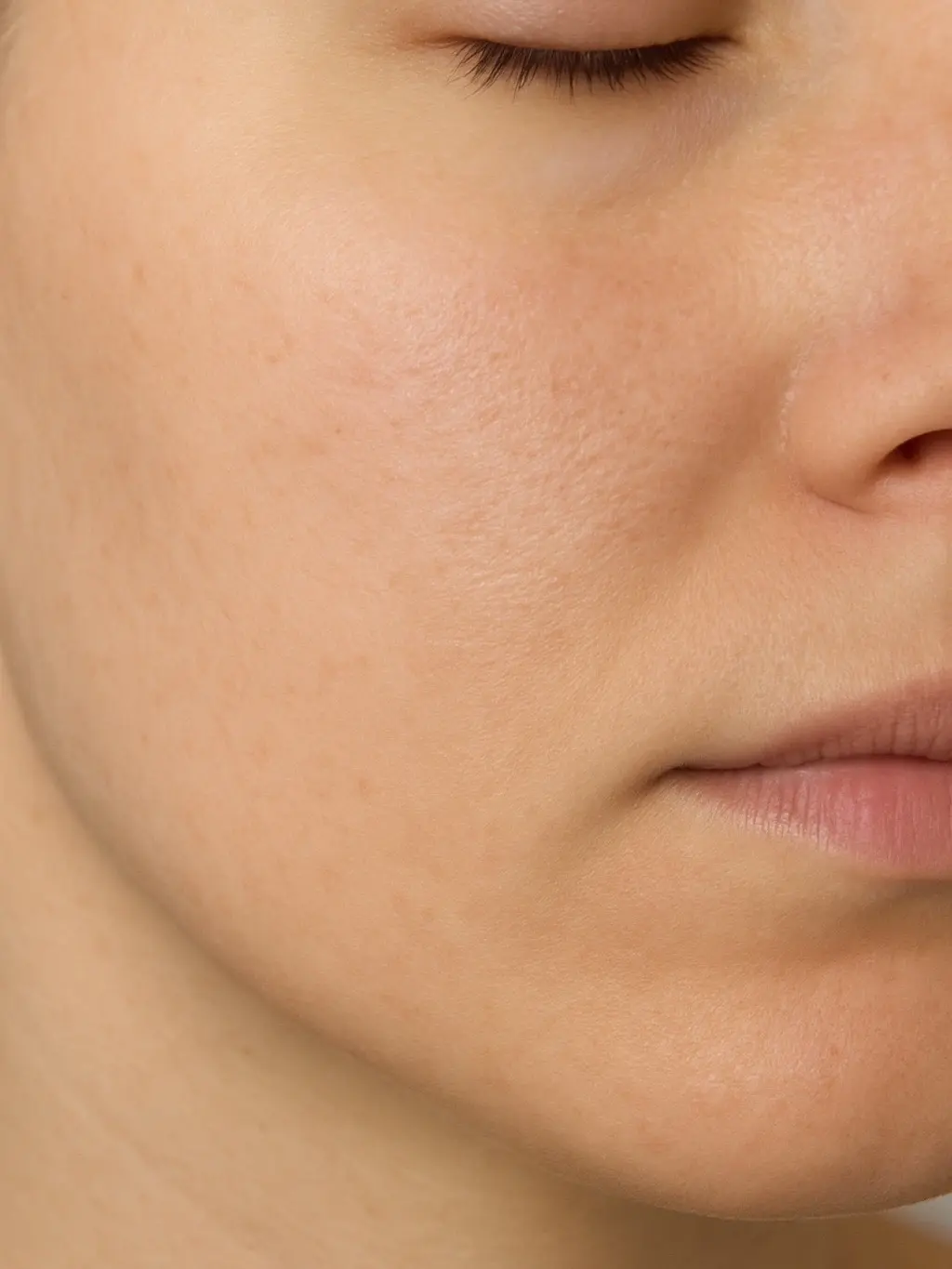
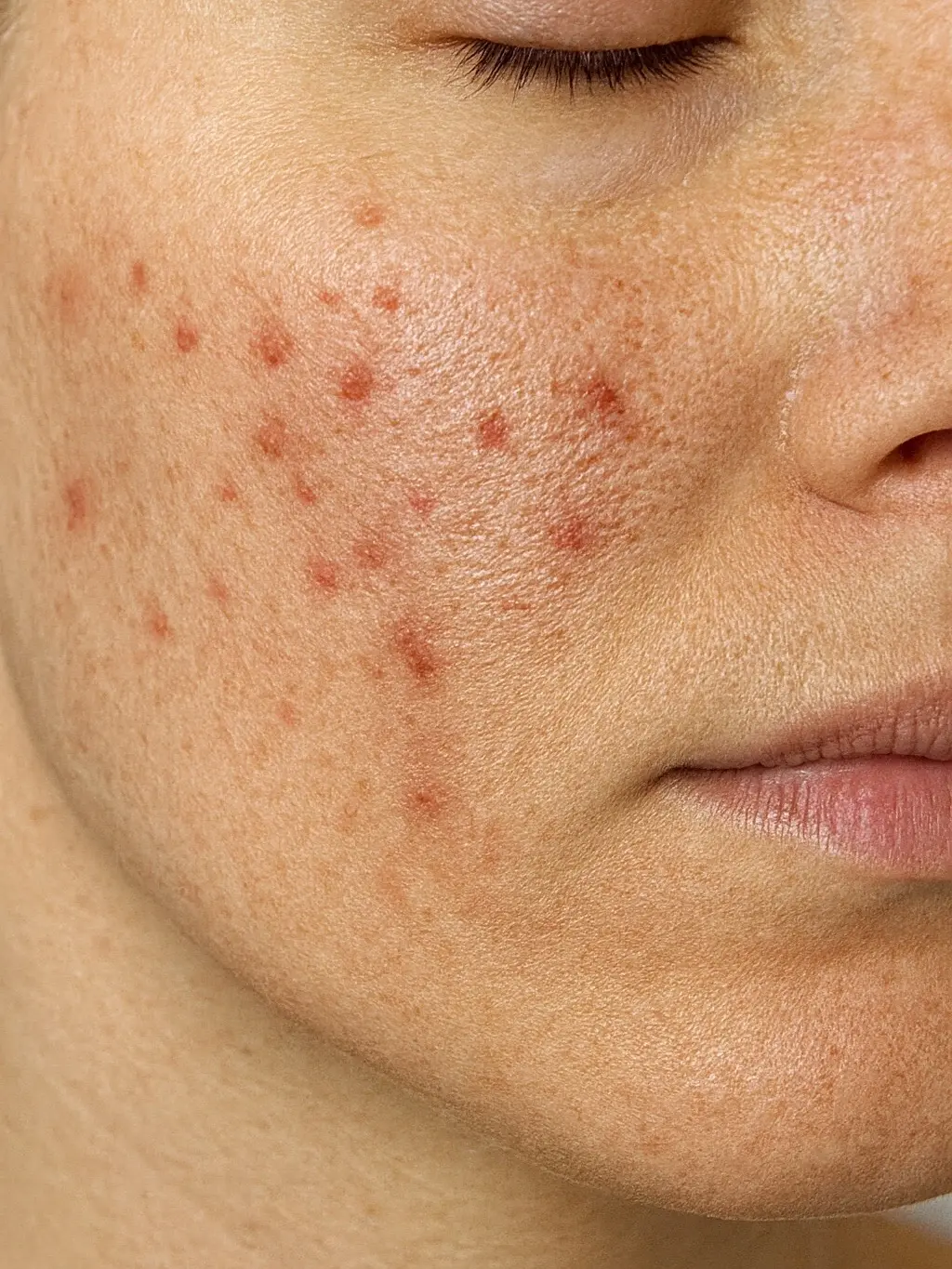
How to document plastic surgery progress with PixioDoc
Documenting plastic surgery results with PixioDoc takes five steps: set up your practice workspace, create the patient record at consultation, capture standardised pre-op and post-op photos, walk patients through their transformation at follow-up (progress slider on Free; side-by-side on Pro), and share cases with the team at controlled access levels (Pro).
- 1
Set up your surgical practice workspace
Download PixioDoc, create your clinician account, and configure shared access if you operate as a team. Patient data is stored in the EU.
- 2
Create the patient record at the consultation
Add the patient before the first pre-op photo. From that point on, every image — consultation, surgery day, and post-op — anchors to the same timeline.
- 3
Capture standardised pre-op and post-op photos
Use consistent framing, lighting, and distance at every visit. Pose guidelines put a line guide on the camera for a standard view. Ghost overlay matches a previous photo when you need the last shot as the guide. Standard views (frontal, oblique, lateral) stay repeatable.
- 4
Walk patients through their transformation in follow-up
Open the timeline, swipe between consultation and the current visit with the progress slider (Free), or use side-by-side layouts on Pro. The patient sees the change clearly.
- 5
Share cases with the team and referrers (Pro)
Grant View Only access to a referring physician, Editor access to a co-surgeon. Revoke at any time. Every access is logged.

PixioDoc vs. camera roll, messaging apps, and cloud storage for plastic surgery
Most plastic surgery photo workflows start informally. Here is how a dedicated clinical photo app compares with the three most common alternatives.
| Capability | PixioDoc | Personal camera roll | Messaging apps | Generic cloud storage |
|---|---|---|---|---|
| Clinical photos separate from personal media | Yes — capture does not write to the camera roll (export from the viewer can) | No — clinical and personal photos mix | No — images embed in chat history and the camera roll | Partial — depends on manual folder discipline |
| Photos organized by patient and visit | Automatic — every photo lands on the right patient timeline | No — one long chronological stream | No — buried in conversation threads | Manual — naming conventions and folders to maintain |
| Side-by-side before-and-after comparison | Progress slider on Free; side-by-side and advanced layouts on Pro | No | No | No |
| Role-based case sharing | Yes — View Only, Editor, or Admin per recipient, revocable at any time | No | No — forwarding is uncontrolled | Partial — link sharing is hard to scope and audit |
| Activity on your account and each patient | Yes — see activity on your account and on each patient | No | No | Limited |
| Patient data residency | Patient data stored in the EU | Follows personal cloud backups (iCloud / Google Photos) | Provider-dependent, outside your control | Region depends on account settings |
Pricing for plastic surgery practices
Free
€0
Up to 10 patients
Pro
€8.99/mo
Unlimited patients
Teams
Custom
4+ seats
Frequently asked questions about plastic surgery photo documentation
Still have questions about PixioDoc for plastic surgery?
Email the team directly with anything specific to your practice — workflow questions, compliance reviews, Teams pricing, or onboarding. We read every message and reply personally.
Email support@pixiodoc.comStart tracking plastic surgery progress with PixioDoc
Start free with up to 10 patients — no time limit, no demo call.

Recommended reading for plastic surgery clinicians
Article
Best Before and After Photo Software for Plastic Surgery (2026 Buyer's Guide)
Read article
Article
Medical Photography Best Practices for Consistent Progress Tracking
Read article
Article
How to Take Professional Before-and-After Photos in Your Clinic
Read article
Article
Why You Shouldn't Use Your Personal Phone for Patient Photos
Read article
Article
Sharing Medical Photos Between Professionals: Why WhatsApp Isn't the Answer
Read article
Article
How to Document Wound Healing with Photos
Read article
Comparing PixioDoc for plastic surgery
Evaluating a clinical photo app for your plastic surgery practice? Compare PixioDoc with the alternatives most plastic surgery clinicians shortlist.