
Wound Care Photo Documentation App for Clinicians
Wound care specialists use PixioDoc to monitor diabetic ulcers, surgical wounds, and pressure injuries with timestamped photos, side-by-side healing comparisons (Pro), and secure sharing — security-first, EU-hosted, GDPR-aligned.
EU-hostedEncrypted in transit & at rest
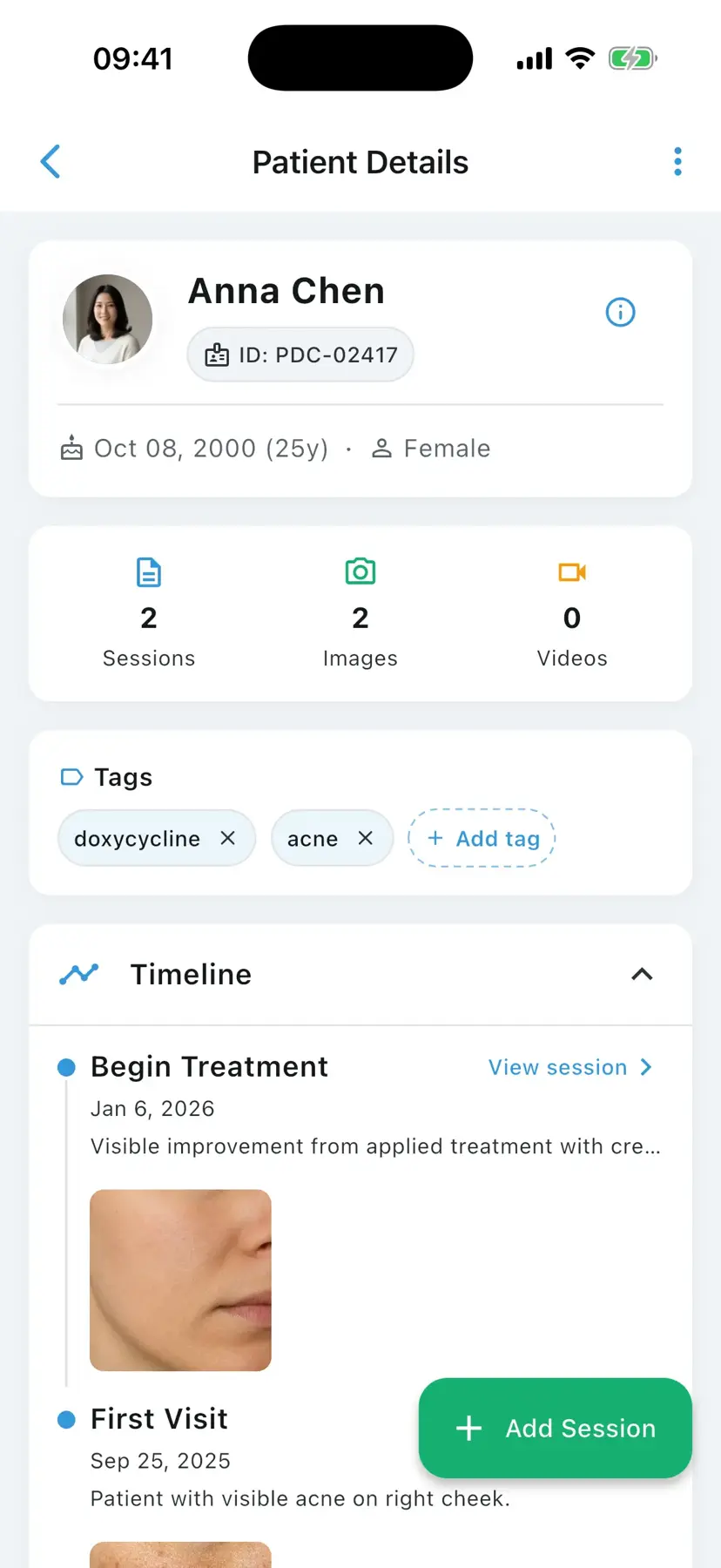
A wound care photo documentation app is a clinical mobile application that helps wound care specialists capture timestamped photos of diabetic foot ulcers, venous leg ulcers, surgical wounds, and pressure injuries (NPUAP/EPUAP stages 1–4), organize them in patient timelines, and compare healing across visits — providing visual evidence of treatment effectiveness. PixioDoc is one such app, with EU-hosted patient data, encrypted storage, and audit-logged access aligned to GDPR (EU and UK).
Wound care is, more than almost any other specialty, judged by the photo record. Whether you are tracking a stage 3 pressure injury, a diabetic foot ulcer, a venous leg ulcer, or a dehisced surgical wound, the visual story across visits is what tells you whether the dressing strategy, offloading, compression, or systemic therapy is working. PixioDoc gives wound care clinicians a structured way to capture timestamped photos at every dressing change, compare healing across visits, and share cases with the multidisciplinary team — without those images ever touching a personal phone gallery.
Common photo documentation challenges in wound care
The defining photo documentation challenges in wound care are healing assessments that depend on consistent serial images, multidisciplinary teams working without shared access, audits that expect a complete photo trail on demand, and patients disengaging from offloading or compression when they cannot see their own progress.
Healing assessment depends on consistent visual records
Wound staging, granulation tissue assessment, and slough vs eschar judgement all hinge on serial photographs. Inconsistent capture leads to inconsistent treatment decisions and weakens any later audit or reimbursement review.
Multidisciplinary teams need shared, auditable access
Wound care typically involves nurses, podiatrists, vascular specialists, and primary care. Coordination falls apart when photos are scattered across phones and email threads, and there is no record of who reviewed what.
Audits expect a complete photo trail
Reimbursement audits in the US, NHS audits in the UK, and clinical governance reviews across the EU increasingly request the photo timeline — proof that staged dressing changes followed protocol. A camera roll cannot produce this on demand.
Patient and family reassurance accelerates adherence
Patients with chronic ulcers often disengage from offloading or compression. A clear visual record showing healing reverses that and brings family caregivers into the plan.
How wound care professionals use PixioDoc
Wound care clinicians use PixioDoc to monitor diabetic foot ulcer healing, track surgical wound closure week by week, stage and re-stage pressure injuries with consistent framing, and compare healing trajectories objectively before deciding whether to escalate therapy — with every photo timestamped and anchored to the right visit.
Monitor diabetic foot ulcer healing
Capture timestamped photos at each dressing change. Compare visits to assess granulation, contraction, peri-wound condition, and response to offloading or advanced therapies such as NPWT or biologics.
Track surgical wound closure over weeks
Document post-operative wounds from immediate post-op through complete closure. Detect dehiscence, hypergranulation, or infection earlier by comparing against the previous visit.
Stage and re-stage pressure injuries consistently
Capture photos at each visit with consistent framing so stage progression — or improvement — is visually unambiguous, and align with NPUAP/EPUAP staging documentation.
Compare wound healing rates objectively
Use the progress slider (Free) or side-by-side views (Pro) to assess whether a wound is on a healing trajectory or stalled — and time the decision to escalate therapy accordingly.
Why wound care clinicians choose PixioDoc
PixioDoc gives wound care teams timestamped capture at every dressing change, objective side-by-side comparison across visits (Pro), secure coordination between nursing, podiatry, and vascular colleagues (Pro), and an audit-logged record on encrypted, EU-hosted storage — the documentation pattern audits and reimbursement reviews expect.
Consistent, timestamped capture at every dressing change
PixioDoc records the exact time and patient context for every photo, which is exactly what wound assessment frameworks expect.
Compare appearance across visits objectively (Pro)
Move past 'it looks better' — show side-by-side images and let the visual evidence drive the treatment decision.
Coordinate the wound care team
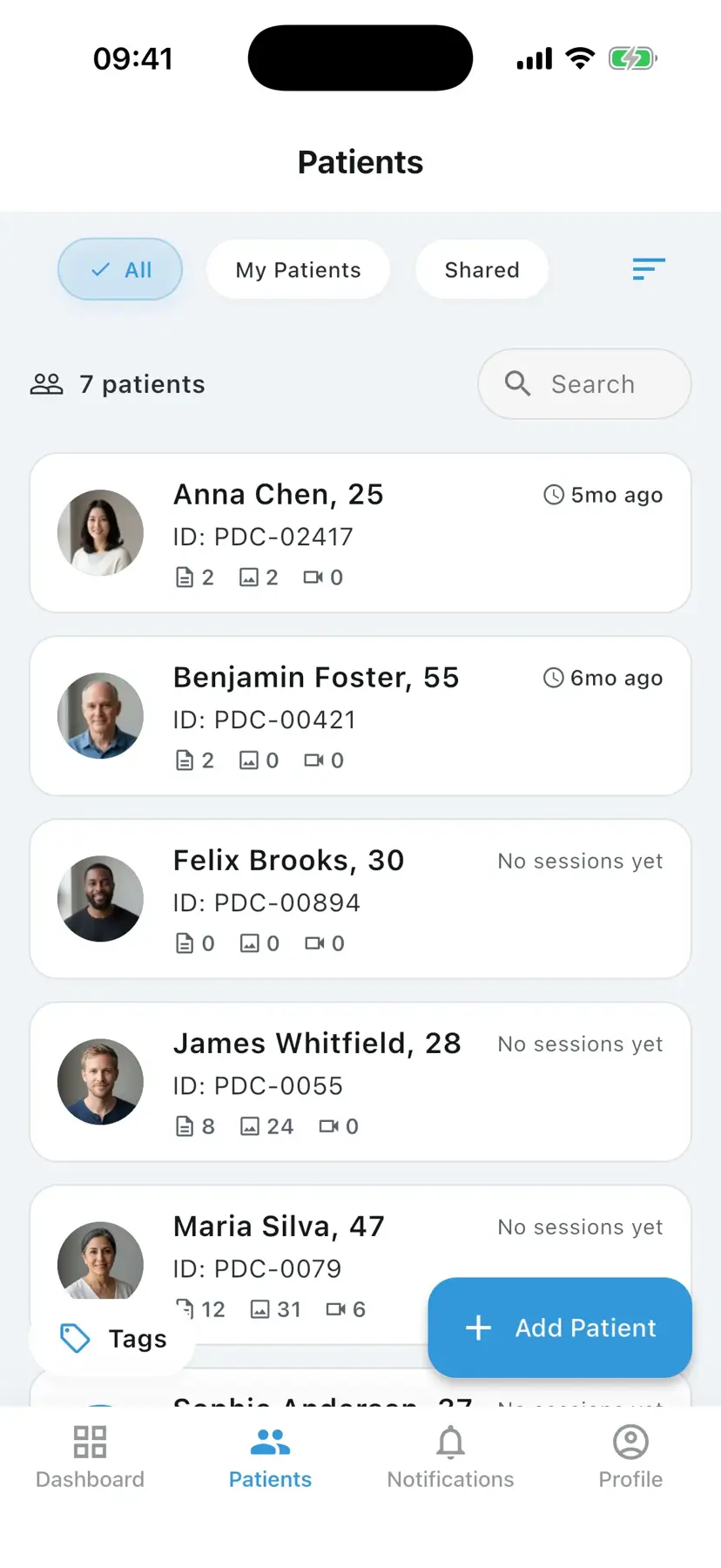
Share specific patient records with podiatry, vascular, primary care, or home-health nursing at the right access level. The audit log shows who reviewed what and when.
Maintain a security-first compliance posture
AES-256 encryption at rest, TLS 1.3 in transit, EU-hosted primary storage, and 27-event audit logging give your practice documentation that holds up under GDPR-aligned audit requirements.
See wound care progress the way patients do
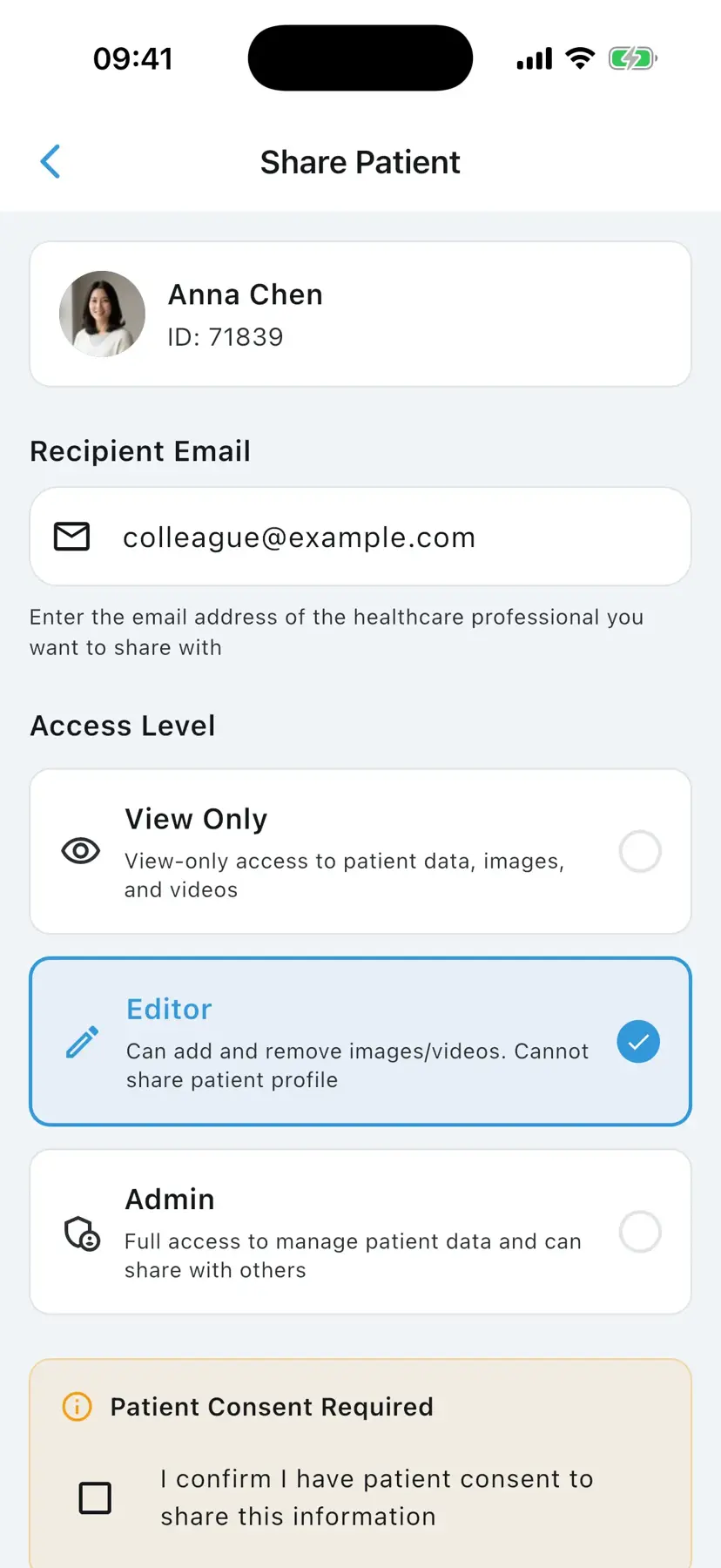
Try the slider, side-by-side, Hero, and 2×2 layouts — the same comparison tools you can use to judge granulation, contraction, and peri-wound change across visits.


How to document wound care progress with PixioDoc
Documenting wound healing with PixioDoc takes five steps: set up the wound care workspace, add the patient record before the first assessment, capture the wound at each dressing change, compare visits to judge the healing trajectory (progress slider on Free; side-by-side on Pro), and share the case with the wider care team (Pro).
- 1
Set up the wound care workspace
Download PixioDoc, verify your clinician account, and configure team access if you work in a multidisciplinary unit. Storage defaults to encrypted EU servers.
- 2
Add a patient record before the first wound assessment
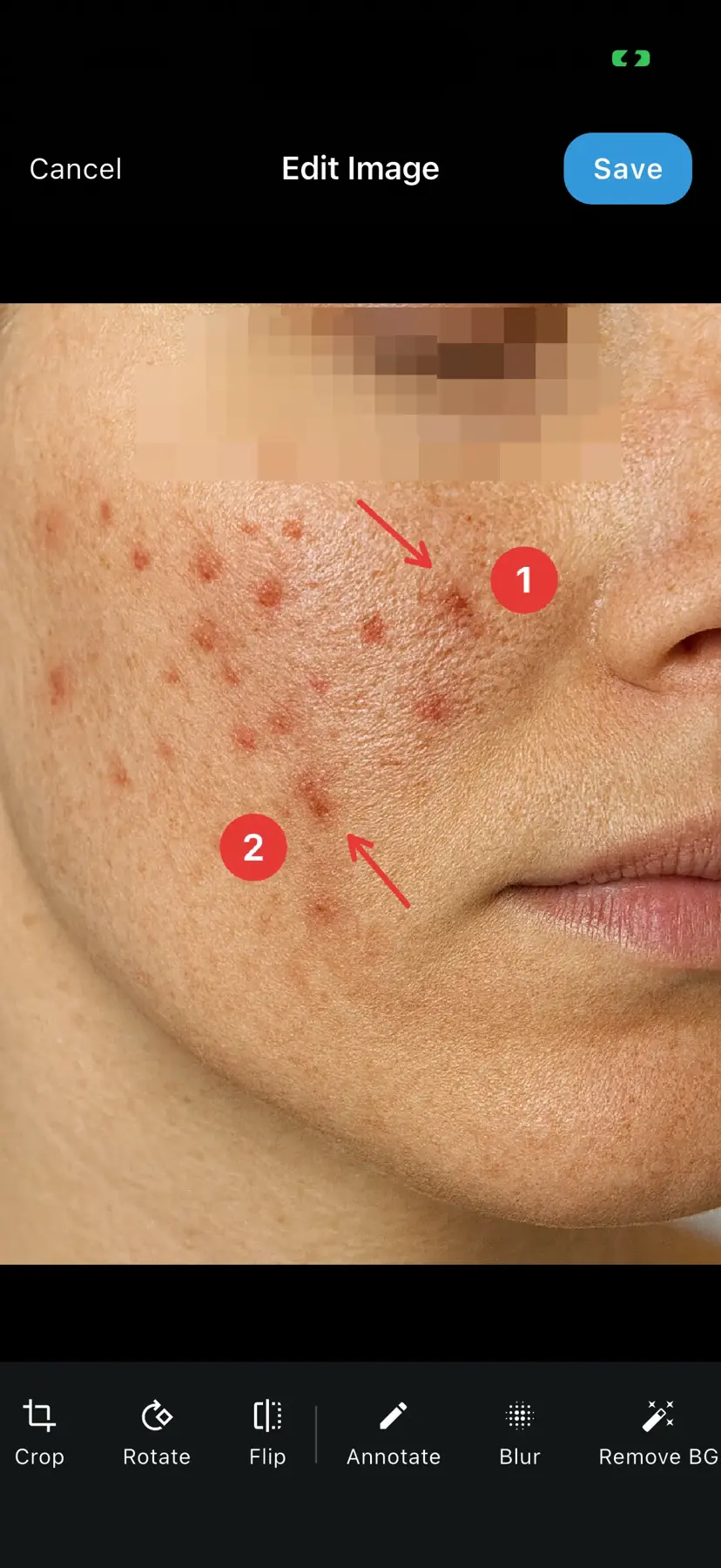
Create the patient as you intake them. Every wound photo from that point on is anchored to the right patient and the right visit.
- 3
Capture the wound at each dressing change
Use consistent framing and a measurement reference if you use one. Capture peri-wound condition, the wound bed, and the dressing context as separate photos within the same visit.
- 4
Compare visits to assess the healing trajectory
Open the timeline, pick the baseline visit and the current visit, and use the progress slider (Free) or side-by-side (Pro) to judge healing objectively before deciding on therapy changes.
- 5
Share the case with the wound care team (Pro)
Send a secure link at the access level you choose to nursing, podiatry, or vascular colleagues. Revoke when the case is closed.
PixioDoc vs. camera roll, messaging apps, and cloud storage for wound care
Most wound care photo workflows start informally. Here is how a dedicated clinical photo app compares with the three most common alternatives.
| Capability | PixioDoc | Personal camera roll | Messaging apps | Generic cloud storage |
|---|---|---|---|---|
| Clinical photos separate from personal media | Yes — the in-app camera writes only to encrypted clinical storage, never the camera roll | No — clinical and personal photos mix | No — images embed in chat history and the camera roll | Partial — depends on manual folder discipline |
| Photos organized by patient and visit | Automatic — every photo lands on the right patient timeline | No — one long chronological stream | No — buried in conversation threads | Manual — naming conventions and folders to maintain |
| Side-by-side before-and-after comparison | Progress slider on Free; side-by-side and advanced layouts on Pro | No | No | No |
| Secure, role-based case sharing | Yes — View Only, Editor, or Admin per recipient, revocable at any time | No | No — forwarding is uncontrolled | Partial — link sharing is hard to scope and audit |
| Audit trail of who accessed what | Yes — audit logging across 27 event types | No | No | Limited |
| Patient data residency | EU-hosted, encrypted at rest and in transit | Follows personal cloud backups (iCloud / Google Photos) | Provider-dependent, outside your control | Region depends on account settings |
Pricing for wound care practices
Free
€0
Up to 10 patients
Pro
€8.99/mo
Unlimited patients
Teams
Custom
4+ seats
Frequently asked questions about wound care photo documentation
Still have questions about PixioDoc for wound care?
Email the team directly with anything specific to your practice — workflow questions, compliance reviews, Teams pricing, or onboarding. We read every message and reply personally.
Email support@pixiodoc.comStart tracking wound care progress with PixioDoc
Start free with up to 10 patients — no time limit, no demo call.
Recommended reading for wound care clinicians
Comparing PixioDoc for wound care
Evaluating a clinical photo app for your wound care practice? Compare PixioDoc with the alternatives most wound care clinicians shortlist.