
Medical Photo Documentation App for Dermatologists
Dermatologists use PixioDoc to capture, organize, and compare skin condition photos across visits — keeping clinical images out of personal galleries and ready to show patients during consultation.
EU-hostedEncrypted in transit & at rest
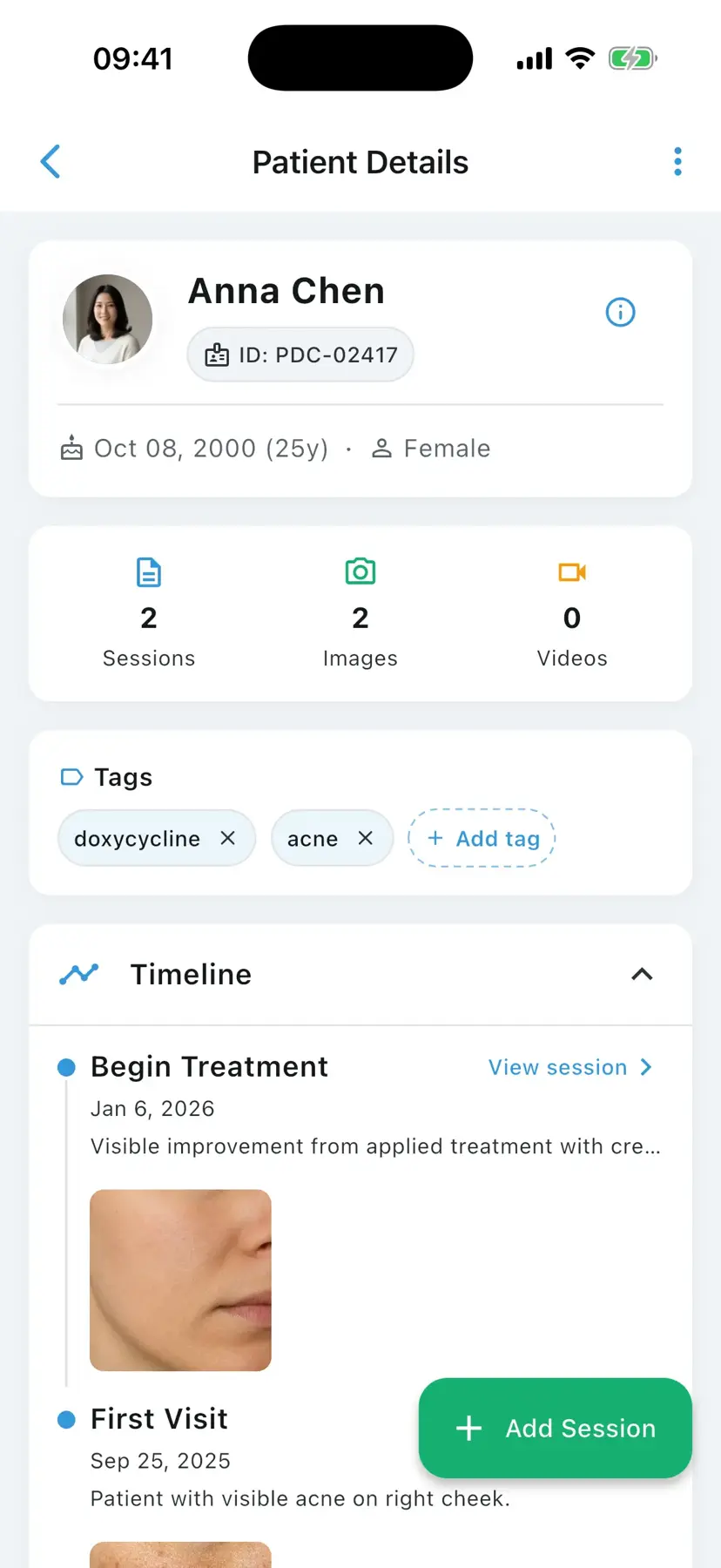
A medical photo documentation app for dermatologists is a clinical mobile application that helps skin specialists capture, organize, and compare before-and-after photos of conditions such as acne, eczema, psoriasis, rosacea, melasma, vitiligo, and pigmented lesions — separately from personal phone galleries. PixioDoc is one such app, built for clinics worldwide, with EU-hosted patient data storage and audit-logged access aligned to GDPR (EU and UK) requirements.
Dermatology is one of the most photo-driven specialties in medicine. Whether you are tracking how acne, eczema, psoriasis, rosacea, or melasma are responding to treatment — or watching a pigmented lesion for change — the clinical decision turns on consistent, comparable images captured visit after visit. A personal phone gallery, a WhatsApp thread, or a folder in iCloud cannot give you patient-level organization, side-by-side comparison, or the audit trail that modern privacy law expects. PixioDoc gives dermatologists a dedicated workspace where every photo lands in the right patient timeline, ready to show on screen during a consultation.
Common photo documentation challenges in dermatology
The most common photo documentation challenges in dermatology are clinical images mixing with personal photos, inconsistent framing between visits, second opinions sent over consumer messengers, and patients losing confidence in long treatment courses. Each one undermines either compliance or the clinical value of the photo record.
Personal phones blur clinical and personal data
Dermatology photos in a camera roll get pulled into iCloud or Google Photos backups, surface in shared albums, and travel anywhere the device travels. That single workflow choice undercuts GDPR in the EU and UK — and creates real medico-legal exposure if the phone is lost or stolen.
Inconsistent capture makes treatment response hard to read
Acne, melasma, eczema, and post-procedure responses are subtle. Without consistent framing, lighting, and zoom across visits, it is genuinely hard to tell whether a topical retinoid, an isotretinoin course, a biologic, or a laser series is working.
Second opinions default to consumer messengers
Sending lesion photos to a colleague through WhatsApp or iMessage embeds patient images in personal chat history, leaves no audit trail, and falls short of the secure-sharing standard expected for protected health information under both US and European privacy regimes.
Patients lose adherence without visible proof
Adherence to multi-month dermatology regimens — topicals, isotretinoin, biologics, photodynamic therapy — drops when patients cannot see progress. A clear before-and-after view at every visit is one of the most effective adherence tools available.
How dermatology professionals use PixioDoc
Dermatologists use PixioDoc to document acne treatment progression, follow chronic conditions like eczema and psoriasis across flares, monitor moles and pigmented lesions for change, and show patients their own progress during consultations — all from one patient timeline that organizes every photo by visit date.
Document acne treatment progression
Capture timestamped before-and-after photos at each follow-up so you can show patients exactly how their skin is responding to a topical, oral, or in-office regimen — and pivot the plan when the visual evidence calls for it.
Track chronic dermatosis evolution
Follow eczema flares, psoriasis plaques, rosacea episodes, and vitiligo spread across visits. The patient timeline keeps every visit anchored by date so you can review how a flare resolved or trended over months and years.
Monitor moles and pigmented lesions
Capture high-resolution images and dermoscopy shots to compare against the prior visit. Side-by-side comparison (Pro) helps surface subtle morphology changes between visits.
Demonstrate improvement during consultations
Open the patient timeline mid-visit, swipe between any two visits, and show the patient their own progress on screen. The conversation moves from 'is it working?' to 'this is exactly how much it has changed since week 4.'
Why dermatology clinicians choose PixioDoc
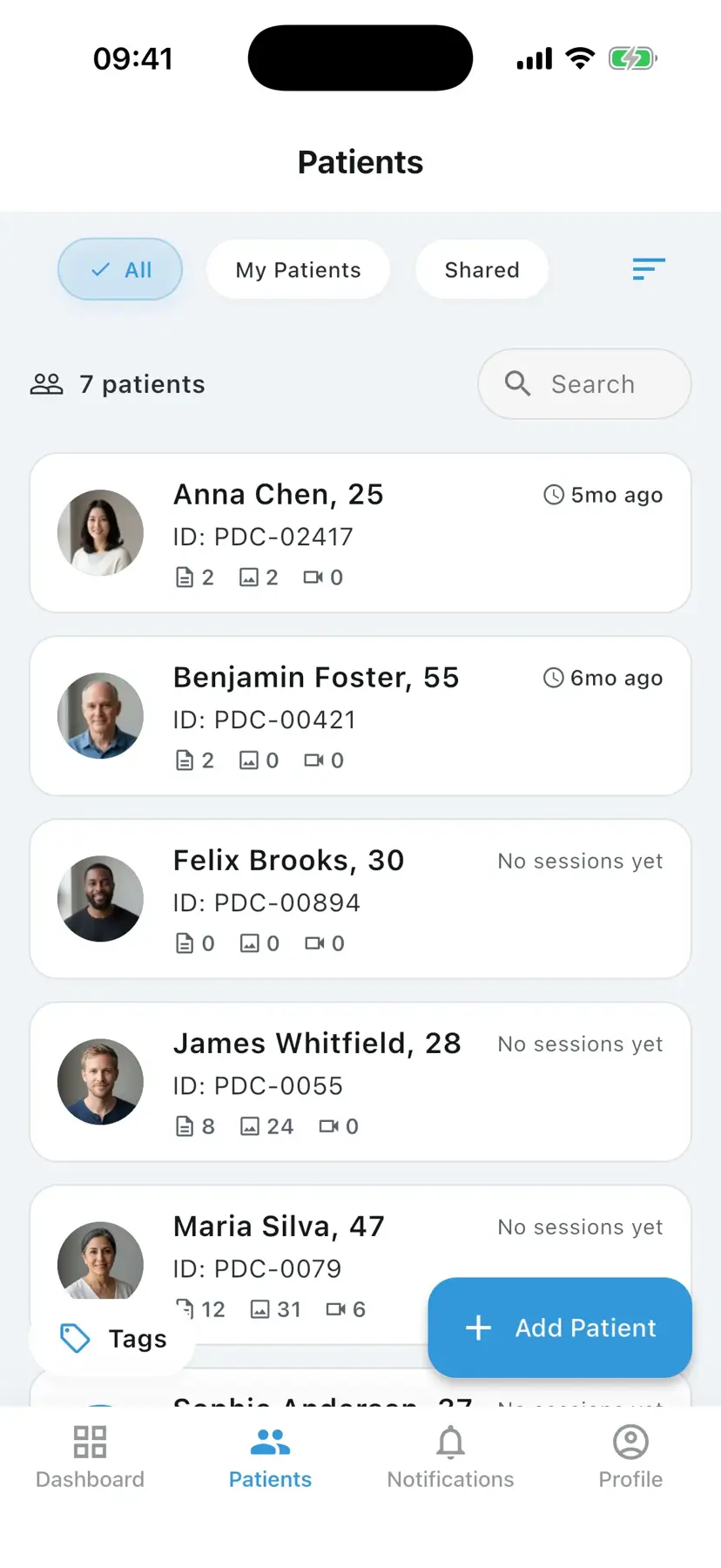
PixioDoc keeps dermatology photos out of personal galleries, organizes every image by patient and visit automatically, makes subtle skin changes visible with side-by-side comparison (Pro), and shares cases securely with audit-logged, role-based access (Pro) — security-first, EU-hosted, GDPR-aligned.
Clinical photos stay out of your personal gallery
PixioDoc's in-app camera writes only to encrypted clinical storage — never to the camera roll. That alone closes the most common privacy gap in dermatology photo workflows.
Find any patient image in seconds
Every photo is automatically attached to the right patient and ordered chronologically. No manual filing, no albums to maintain, no naming conventions to enforce.
Show progress with side-by-side comparison (Pro)
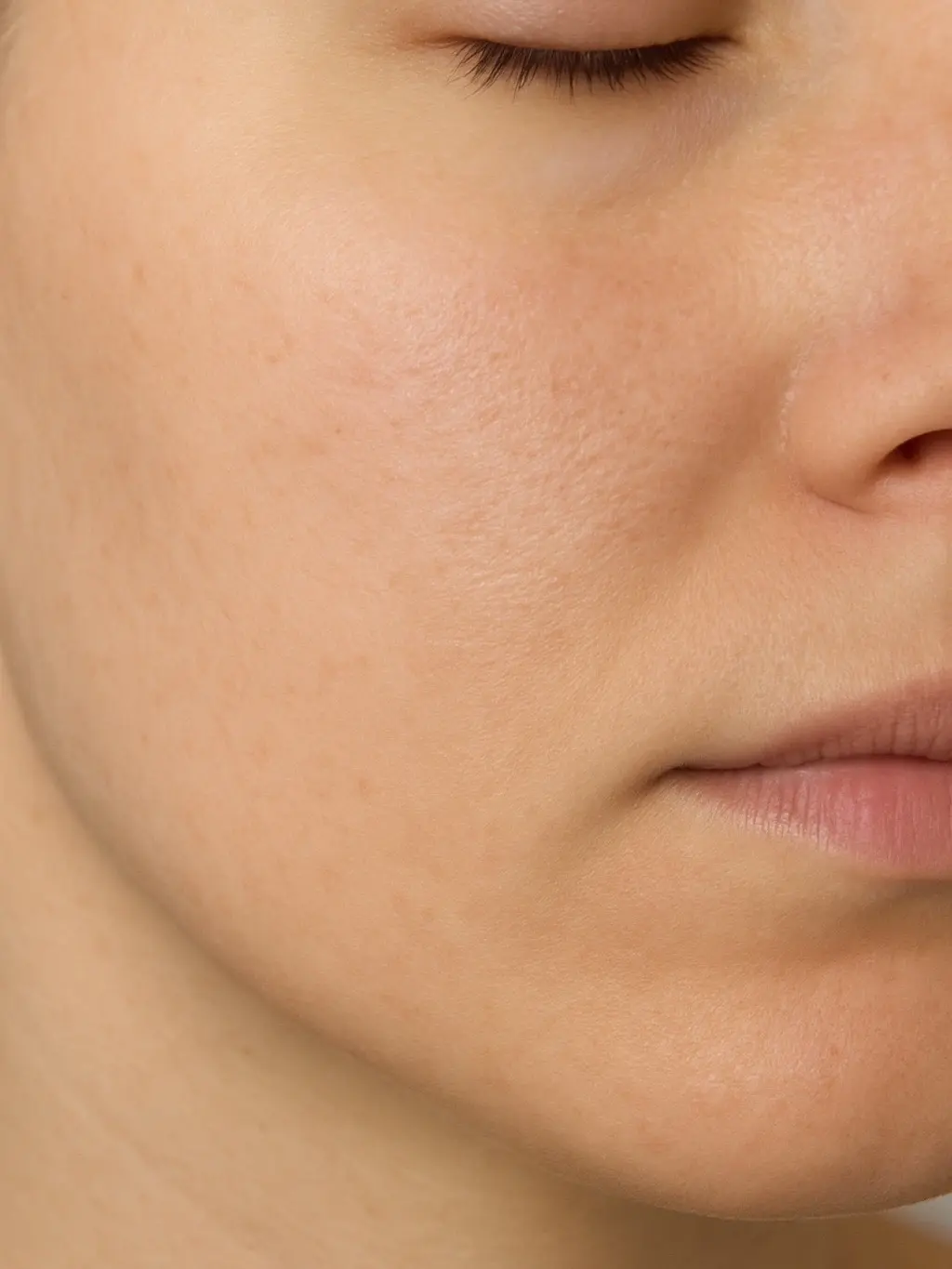
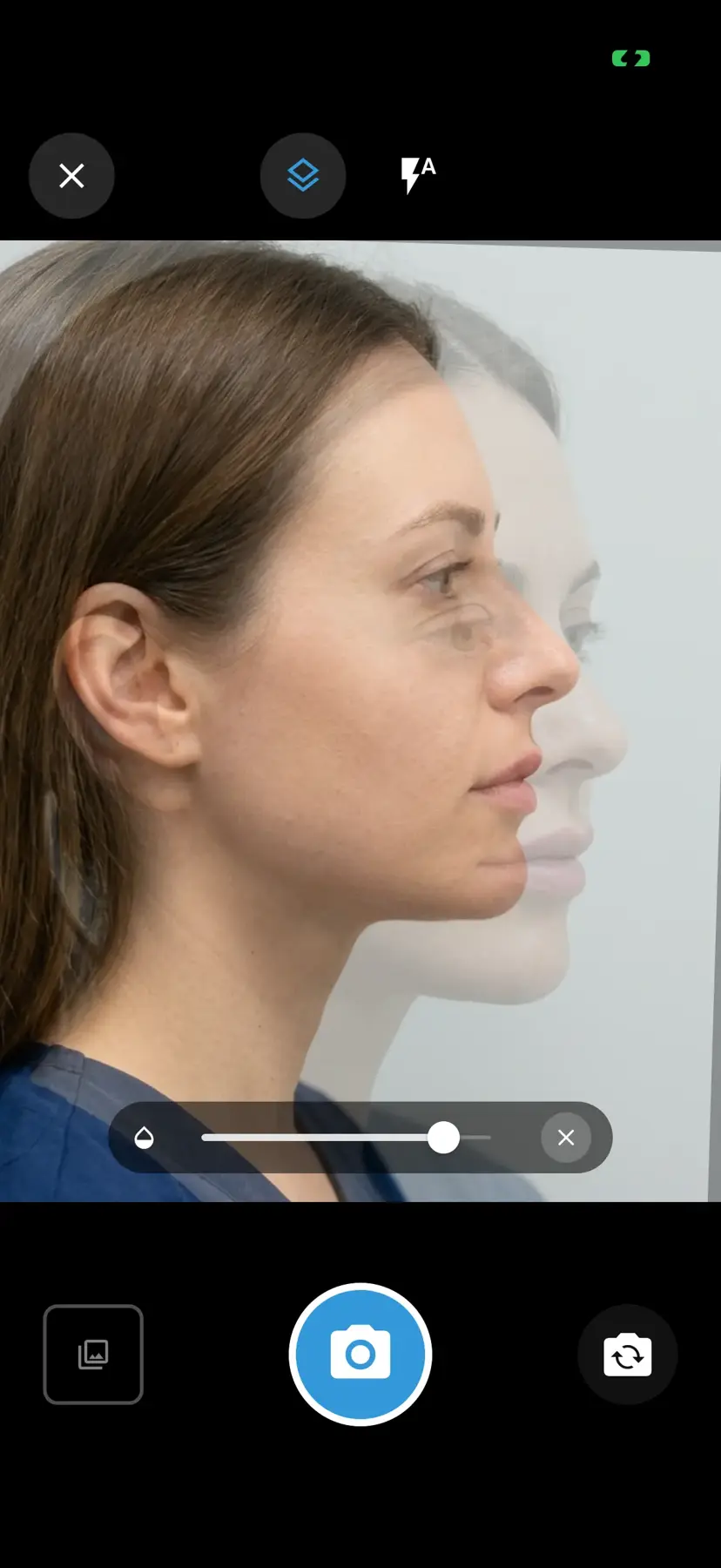
The interactive progress slider (Free) lets you swipe between any two visits; Pro adds side-by-side and other multi-image layouts so subtle dermatology changes are obvious — both to you and to the patient.
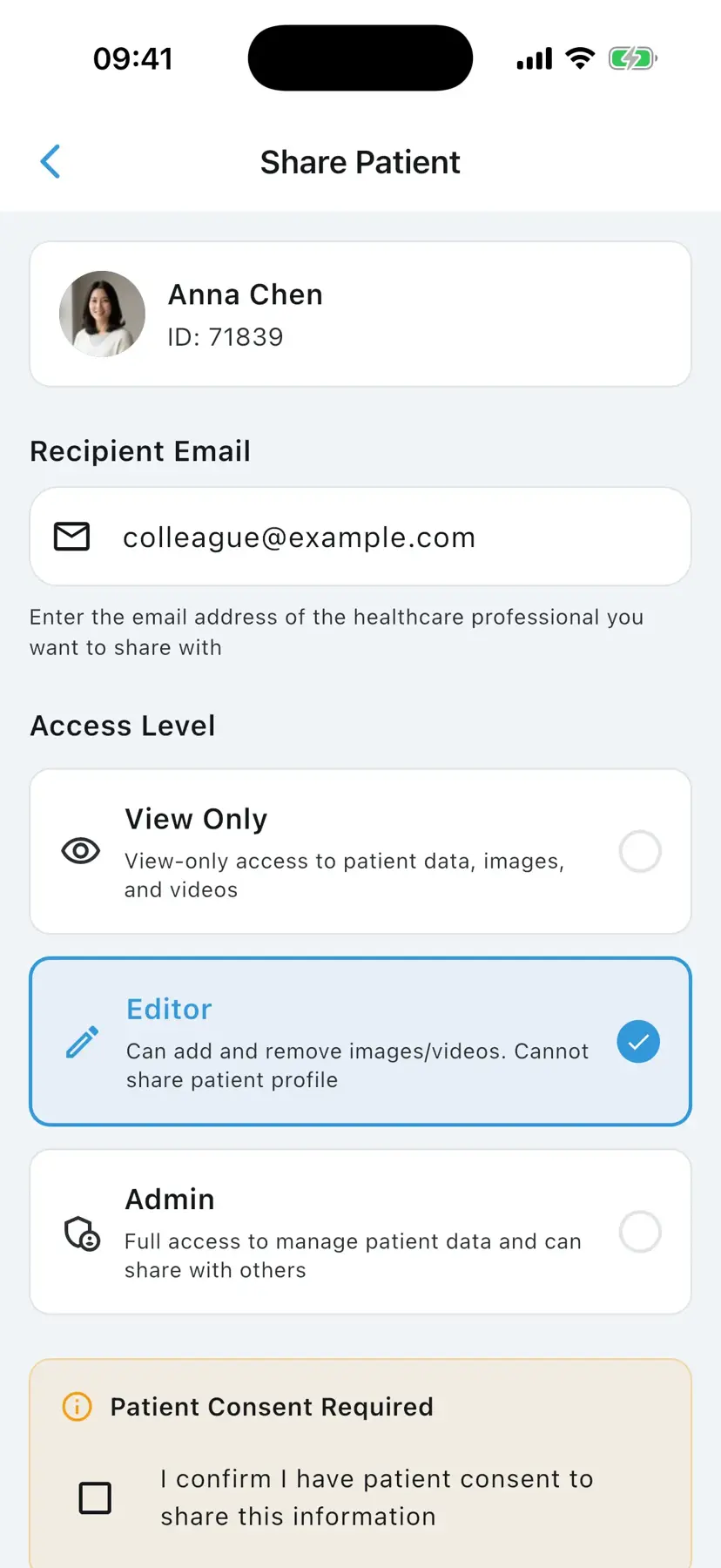
Share cases securely with GDPR-aligned safeguards
Share specific patient records with colleagues at View Only, Editor, or Admin levels (Pro). Every access is audit-logged, and EU-hosted primary storage supports GDPR-aligned workflows.
See dermatology progress the way patients do
Try the slider, side-by-side, Hero, and 2×2 layouts — the same comparison tools you can use in consultation when a treatment response needs to be obvious at a glance.
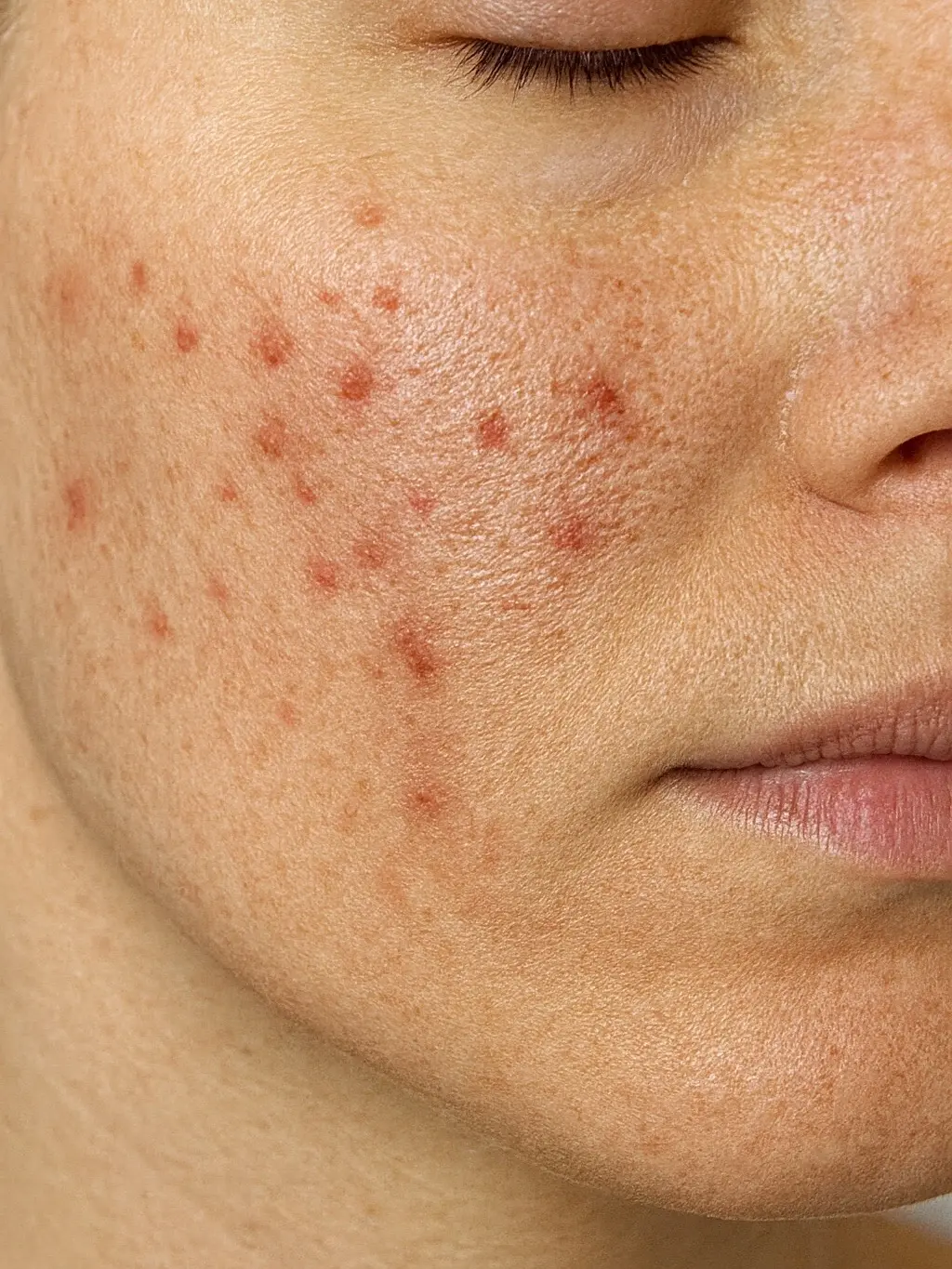
How to document dermatology progress with PixioDoc
Documenting dermatology progress with PixioDoc takes five steps: set up your workspace, create a patient record before the first photo, capture consistent images at every visit, compare visits during consultations (progress slider on Free; side-by-side on Pro), and share the case securely when you need a second opinion (Pro).
- 1
Set up your dermatology workspace
Download PixioDoc from the App Store or Google Play and create a verified clinician account. The app installs alongside your camera but writes images only to encrypted clinical storage in the EU.
- 2
Create a patient record for each new dermatology consultation
Add the patient to your workspace before the first photo. Every image you capture from that point on is automatically attached to the right patient and the right visit.
- 3
Capture consistent skin condition photos at every visit
Use the in-app camera to capture lesions, rashes, or treatment areas. Aim for the same framing, distance, and lighting each visit — consistency is what makes serial comparison meaningful.
- 4
Compare visits during consultations
Open the patient timeline, pick the baseline visit and the current visit, and use the progress slider (Free) or side-by-side view (Pro) to show the patient how their skin is responding.
- 5
Share the case with a colleague when you need a second opinion (Pro)
Send a secure link to a specific patient record at the access level you choose. The recipient sees the full timeline; you keep the audit log.
PixioDoc vs. camera roll, messaging apps, and cloud storage for dermatology
Most dermatology photo workflows start informally. Here is how a dedicated clinical photo app compares with the three most common alternatives.
| Capability | PixioDoc | Personal camera roll | Messaging apps | Generic cloud storage |
|---|---|---|---|---|
| Clinical photos separate from personal media | Yes — the in-app camera writes only to encrypted clinical storage, never the camera roll | No — clinical and personal photos mix | No — images embed in chat history and the camera roll | Partial — depends on manual folder discipline |
| Photos organized by patient and visit | Automatic — every photo lands on the right patient timeline | No — one long chronological stream | No — buried in conversation threads | Manual — naming conventions and folders to maintain |
| Side-by-side before-and-after comparison | Progress slider on Free; side-by-side and advanced layouts on Pro | No | No | No |
| Secure, role-based case sharing | Yes — View Only, Editor, or Admin per recipient, revocable at any time | No | No — forwarding is uncontrolled | Partial — link sharing is hard to scope and audit |
| Audit trail of who accessed what | Yes — audit logging across 27 event types | No | No | Limited |
| Patient data residency | EU-hosted, encrypted at rest and in transit | Follows personal cloud backups (iCloud / Google Photos) | Provider-dependent, outside your control | Region depends on account settings |
Pricing for dermatology practices
Free
€0
Up to 10 patients
Pro
€8.99/mo
Unlimited patients
Teams
Custom
4+ seats
Frequently asked questions about dermatology photo documentation
Still have questions about PixioDoc for dermatology?
Email the team directly with anything specific to your practice — workflow questions, compliance reviews, Teams pricing, or onboarding. We read every message and reply personally.
Email support@pixiodoc.comStart tracking dermatology progress with PixioDoc
Start free with up to 10 patients — no time limit, no demo call.
Recommended reading for dermatology clinicians
Comparing PixioDoc for dermatology
Evaluating a clinical photo app for your dermatology practice? Compare PixioDoc with the alternatives most dermatology clinicians shortlist.